If you’re serious about digitizing your writing, reading, and note‑taking with a device that feels like paper in your hands, two standout e‑ink tablets dominate the conversation: the reMarkable 2 and the reMarkable Paper Pro. Both are distraction‑free digital notebooks built for thinkers, creators, students, and professionals — but they differ significantly in display tech, responsiveness, features, and overall experience. In other words, your choice should match how deeply you want to dive into digital paper productivity.
Let’s make long story short: I strongly recommend the reMarkable Paper Pro — because it delivers a larger, color‑capable Canvas display, significantly faster responsiveness, built‑in reading light, and much more storage and performance than the reMarkable 2, giving you a smoother, richer paper‑like digital experience that’s well worth the upgrade for most note‑takers and professionals.
Why Do I Recommend the reMarkable Paper Pro?
- Bigger, More Engaging Display: Paper Pro’s 11.8‑inch Canvas Color screen gives you more real estate to write, draw, mark up PDFs, and see your work clearly — a serious advantage for productivity and comfort compared to the smaller 10.3‑inch screen on reMarkable 2.
- Color & Creativity: Unlike the monochrome reMarkable 2, Paper Pro’s display supports subtle color ink particles — perfect for color‑coding notes, annotations, and sketches without feeling like a tablet.
- Faster, More Responsive Experience: With redesigned hardware and optimized software, Paper Pro is up to 40% more responsive than reMarkable 2 — meaning less lag and a more natural pen‑and‑paper feel.
- Built‑In Lighting: Paper Pro adds an adjustable front light so you can write and read comfortably in dim or dark environments — something the reMarkable 2 lacks.
- Better Storage & Performance: With significantly more internal storage and faster under‑the‑hood performance, Paper Pro keeps files, PDFs, notebooks, and annotations at your fingertips.
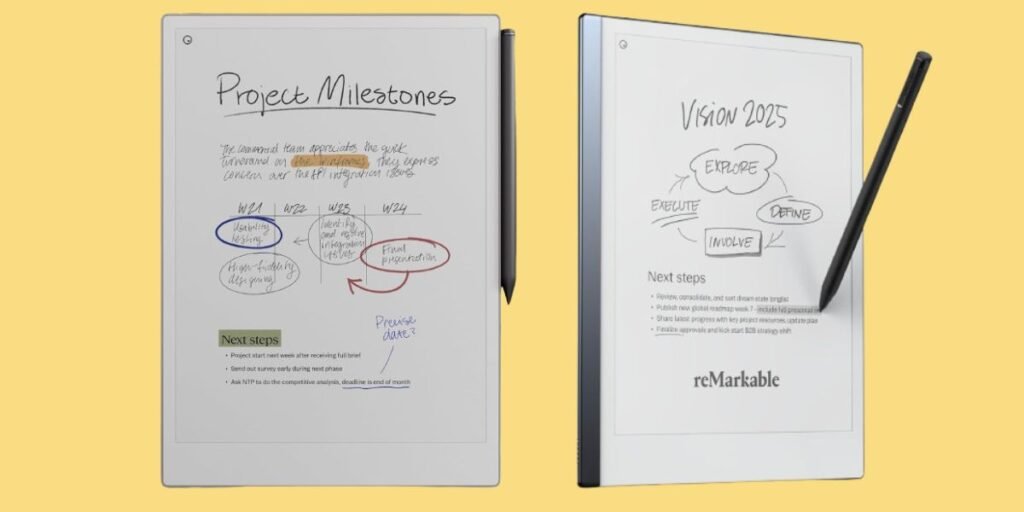
Detailed Comparison & Recommendation
| Feature / Capability | reMarkable 2 | reMarkable Paper Pro | Which Is Best & Why? |
|---|---|---|---|
| Display Size | 10.3″ monochrome | 11.8″ Canvas Color | Paper Pro — larger, more immersive |
| Color Support | No | Yes (Canvas Color) | Paper Pro — color adds clarity & creativity |
| Responsiveness | Good | ~40% faster | Paper Pro — smoother, more natural feel |
| Front Light | No | Yes (adjustable) | Paper Pro — readable anywhere |
| Storage | ~8GB | ~64GB | Paper Pro — more room for files |
| Battery Life | Up to ~2 weeks | Similar long life | Tie — both last long |
| Portability | Lighter, compact | Slightly bigger | Depends on your preference |
| Check Best Seller | Check reMarkable 2 Lowest Price | Check reMarkable Paper Pro Lowest Price | Check Best Seller Offers |
What Are the Major Differences Between reMarkable 2 vs Paper Pro?
- Display & Writing Experience: Paper Pro’s larger, color‑capable Canvas display not only offers more surface area for notes and sketches, it also brings subtle color cues that help highlight and organize your work — something the monochrome reMarkable 2 can’t match.
- Speed & Responsiveness:Thanks to upgraded hardware and improved software, Paper Pro is significantly more responsive — reducing latency and making the writing experience feel closer to real pen on paper.
- Lighting:Paper Pro’s adjustable front‑light means you can write in low light without strain — a practical upgrade that keeps your workflow going at any time of day.
- Storage & Power:With much more storage and processing power, Paper Pro handles large notebooks, PDFs, and heavy use without hiccups — ideal for professionals and students who handle lots of content.
Check reMarkable Paper Pro Limited Time Deal Here
What Users Are Saying
| Feature | reMarkable 2 | reMarkable Paper Pro |
|---|---|---|
| Note‑taking Feel | Excellent tactile experience | Even more natural & responsive feel |
| Readability | Great in daylight | Better in low light with front‑light |
| Display Space | Good for basic notes | Bigger room for documents & sketches |
| Recommended Best Seller | Check reMarkable 2 Lowest Price | Check reMarkable Paper Pro Limited Time Deal Here |
Fair Advice to Consider
- Choose Paper Pro if you want advanced performance, larger display, color support, and pro‑level note organization.
- Choose reMarkable 2 if you want a compact, focused writing tablet with excellent battery life at a lower price.
Quick Summary
While both tablets deliver superb paper‑like digital writing and distraction‑free note‑taking, reMarkable Paper Pro stands above with its larger, color Canvas display, improved responsiveness, adjustable front light, and significantly more headroom for files and creativity — making it a stronger choice for most serious users.
FAQs
Can I use the same stylus on both?
No — Paper Pro uses updated markers that aren’t compatible with reMarkable 2.
Do they sync with phones and computers?
Yes — with a reMarkable Connect subscription, both devices sync notes across tablets and apps.
Is the price difference worth it?
For users who want the best digital writing experience and more capabilities, the Paper Pro’s upgrades justify the cost.
Final Verdict
If your priority is productivity, creativity, and paper‑like digital writing that feels smooth, spacious, and responsive, reMarkable Paper Pro is the clear winner. It’s a premium step up from the reMarkable 2 with meaningful upgrades that help you focus, create, and organize better — the kind of tablet you’ll keep using day after day with confidence.
Jump To