Choosing the right digital picture frame is no longer about just displaying photos. It’s about how easily memories are shared, how good they look every day, and whether the frame feels effortless or frustrating to use. Two of the most talked-about options today are Skylight Frame and Aura Frame. Both promise beautiful displays and smart sharing — but only one truly delivers the simplest, most joyful experience for everyday families. Let’s break it down clearly.
Let’s make long story short: If you want a digital photo frame that anyone can use instantly, with zero learning curve and stress-free photo sharing, Skylight Frame is the better choice. It’s simpler, more flexible, and fits real family life better than Aura — especially for gifting, parents, and long-distance sharing.
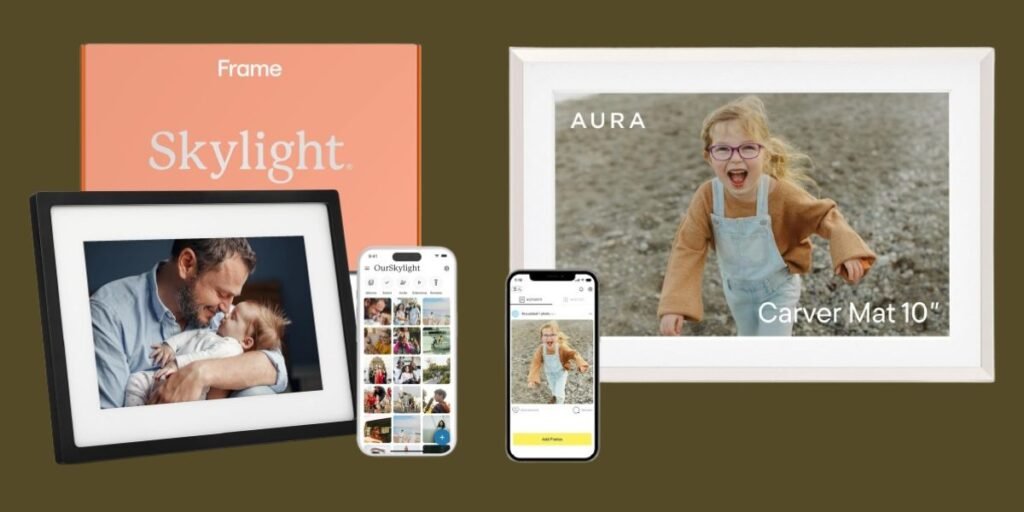
Why Do I Recommend Skylight Frame?
- Extremely Easy for Anyone to Use
- Plug it in
- Connect Wi-Fi
- Start receiving photos
- No complicated app walkthroughs. No forced setup learning. It works immediately — even for non-tech users.
- Email-to-Frame Sharing (Huge Advantage)
- Anyone can send photos by email
- No app installs required for senders
- Perfect for grandparents, parents, and large families
- This one feature alone makes Skylight feel more human than Aura.
- Touchscreen That Feels Natural
- Swipe photos like a smartphone
- Delete, favorite, and navigate directly on the frame
- No dependency on a phone once set up
- Aura depends heavily on the app. Skylight stands on its own.
- Works Even When Wi-Fi Isn’t Perfect
- Photos stay visible even if internet drops
- Local storage gives peace of mind
- Aura relies fully on cloud access. Skylight feels more reliable day-to-day.
- Best Digital Frame for Gifting
- Skylight is consistently chosen as a gift because:
- Setup is fast
- No technical explaining needed
- The recipient just enjoys it
- That’s why it wins in homes, not just spec sheets.
- Bottom line: Skylight removes friction. Aura adds features. Most people prefer less friction.
Detailed Comparison & Recommendation
| Feature | Skylight Frame | Aura Frame (Carver) | Which Is Best & Why |
|---|---|---|---|
| Display Size | 10″ Touchscreen | 10.1 HD | Tie |
| Resolution | 1280 × 800 | 1280 × 800 | Tie |
| Orientation | Portrait & Landscape | Landscape only | Skylight – more flexible |
| Upload Method | Email + App | App only | Skylight – easier |
| Touch Control | Yes | No | Skylight |
| Offline Viewing | Yes | No | Skylight |
| Cloud Storage | Limited | Unlimited | Aura |
| Ease of Use | Very Simple | App-dependent | Skylight |
| Overall Winner | Skylight Frame | — | Skylight wins for most users |
| Check Best Seller | Check Skylight Frame Limited Time Deal Here | Check Aura Frame Lowest Price | Check Best Seller Offers |
What Are the Major Differences Between Skylight vs Aura Frame?
- Sharing Experience: Skylight allows photos to be sent directly by email, which feels natural and universal. Aura requires every sender to use the app — powerful, but less friendly for older users or guests.
- Frame Independence: Skylight works as a standalone device thanks to its touchscreen. Aura relies on the phone app for most actions. If you prefer touching the frame itself, Skylight is the clear choice.
- Orientation Flexibility: Skylight supports portrait and landscape photos naturally. Aura forces landscape placement, which sometimes splits vertical photos awkwardly.
- Reliability: Skylight keeps showing photos even with weak internet. Aura needs constant cloud access. That reliability matters more than most people expect.
Check Skylight Frame Limited Time Deal Here
What Users Are Saying
| User Feedback Area | Skylight Frame | Aura Frame |
|---|---|---|
| Setup Simplicity | ⭐⭐⭐⭐⭐ | ⭐⭐⭐⭐ |
| Family Sharing | ⭐⭐⭐⭐⭐ | ⭐⭐⭐⭐ |
| Display Quality | ⭐⭐⭐⭐ | ⭐⭐⭐⭐ |
| App Features | ⭐⭐⭐⭐ | ⭐⭐⭐⭐⭐ |
| Overall Satisfaction | ⭐⭐⭐⭐⭐ | ⭐⭐⭐⭐ |
| Recommended Best Seller | Check Skylight Frame Limited Time Deal Here | Check Aura Frame Lowest Price |
Fair Advice to Consider
- Choose Skylight Frame if you value simplicity, gifting, and family sharing
- Choose Aura Frame if you want unlimited cloud storage and don’t mind app dependence
- If the frame is for parents or grandparents → Skylight is the safer choice
Quick Comparison
- Best for Families: Skylight Frame
- Best for Gifting: Skylight Frame
- Best Touch Experience: Skylight Frame
- Best Cloud Storage: Aura Frame
- Best Overall Ease: Skylight Frame
Quick Summary
Both frames are high quality, but they serve different users. Aura Frame focuses on cloud features and automation. Skylight focuses on making memories easy to share and enjoy. For most households, simplicity beats complexity — and Skylight delivers exactly that.
FAQs
Does Skylight require a subscription?
No. Basic photo sharing works without a subscription.
Does Aura Frame work without Wi-Fi?
No. Aura needs Wi-Fi to display photos.
Which frame is better for grandparents?
Skylight Frame — easier setup and email sharing.
Can both display high-quality photos?
Yes. Both offer excellent image clarity.
Final Verdict
If you want a digital picture frame that just works, feels personal, and brings families closer without technical headaches, Skylight Frame is the better buy. It’s easier, more flexible, and more enjoyable in everyday life — which is exactly why we confidently recommend Skylight Frame for most buyers.
Jump To